
A dash cam is only as reliable as the memory card it records to. Many UK drivers overlook this critical component, but using the wrong SD card can lead to corrupted footage, missing recordings, and crashes.
This guide explains everything you need to know about SD cards for dash cams, including capacity, speed, endurance, and formatting tips, so your recordings remain safe and reliable. Whether you’re using a front-only camera or a dual-channel 4K system, choosing the right SD card is essential.
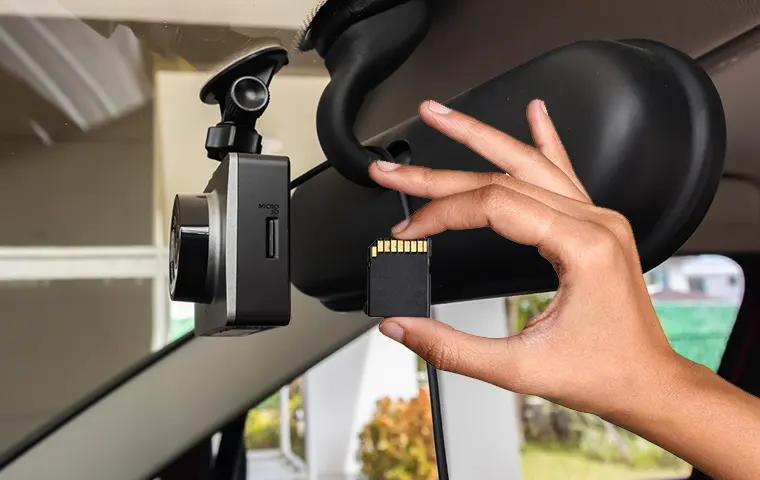
Why Standard SD Cards Don’t Always Work
Unlike regular photography, dash cams continuously write and overwrite video files in a loop. Standard consumer-grade SD cards aren’t designed for this constant workload, especially in the heat or cold often experienced in UK cars.
Risks of using the wrong card:
- Corrupted or unreadable footage
- Camera crashes or random restarts
- Reduced lifespan of the card
High-endurance SD cards are specifically designed for dash cams and security cameras, handling continuous writing without failing.
Choosing the Right Capacity
Your dash cam’s recording needs will determine how much storage you require.
- Front-only, 1080p cameras: 32GB–64GB is often enough
- Dual-channel 1080p or 1440p cameras: 64GB–128GB recommended
- 4K front-and-rear cameras: 128GB–256GB to prevent constant overwriting
Larger cards store more footage but don’t automatically improve video quality. Balance capacity with your loop recording length and video resolution.
Speed and Performance
Dash cams require cards that can write data quickly and reliably. Look for:
- Class 10 or UHS-I/UHS-3 cards for consistent high-speed writing
- High endurance ratings (often marked as “High Endurance” or “Dash Cam Ready”)
- Cards rated for continuous operation in extreme temperatures, common in UK winters and summer heat
Using a high-quality card ensures your dash cam can handle features like parking mode without dropping frames.
Formatting and Maintenance Tips
Even the best SD card can fail if not maintained properly.
Best practices:
- Format your SD card in the dash cam itself, not via PC
- Replace cards every 12–24 months depending on usage
- Check for firmware updates for your dash cam that may improve SD card compatibility
- Avoid cheap or no-name cards—they’re often prone to failure
Regular maintenance ensures your dash cam records reliably when you need it most.
Recommended High-Endurance SD Cards for UK Drivers
While brands change over time, the following types are consistently reliable for dash cam use in the UK:
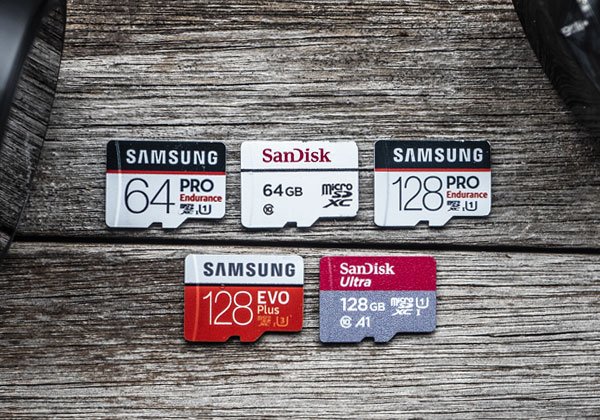
- SanDisk High Endurance Video Monitoring Card – Ideal for dual-channel setups
- Samsung PRO Endurance – Excellent for 4K recording
- Lexar High Endurance – Trusted by many professional dash cam users
These cards are built to withstand constant writing, heat, and vibration — making them the safest choice for dash cam recordings. For a full beginner-friendly overview of dash cams, including installation, video quality, and UK legal considerations, see our Dash Cam Buying Guide 2026.
Final Thoughts
Your dash cam is only as good as the SD card it records to. Investing in a high-endurance, properly sized card ensures that your recordings remain reliable, whether you’re recording daily commutes or protecting your car while parked.
Always consider capacity, speed, and endurance, and follow proper formatting and replacement practices. With the right SD card, your dash cam can deliver peace of mind and trustworthy evidence whenever you need it.